How-to · 1 min read

Use the app in Urdu

Switch the whole app between Urdu and English whenever you like.

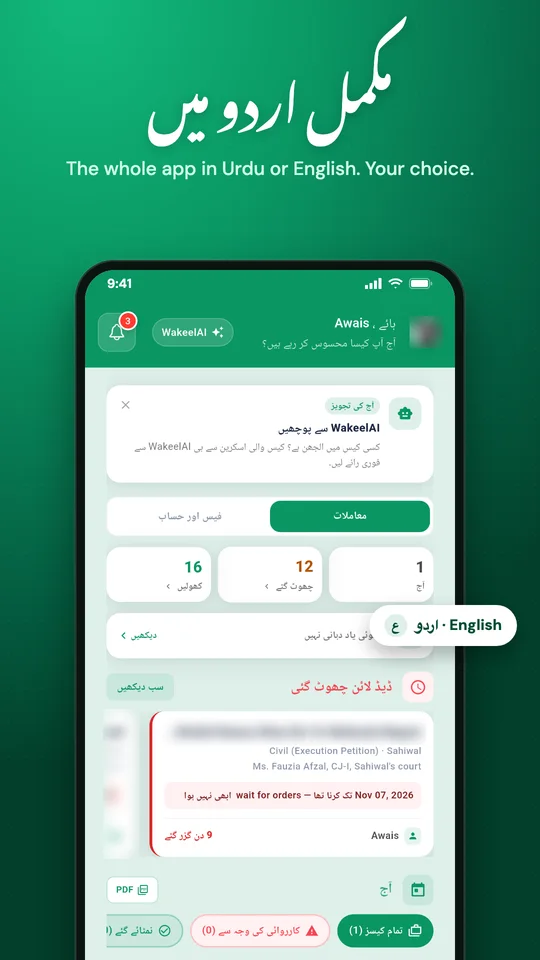
WakeelsApp home screen in Urdu

WakeelsApp works fully in Urdu as well as English.

Switch the language

  1. Tap Manage in the bottom bar.
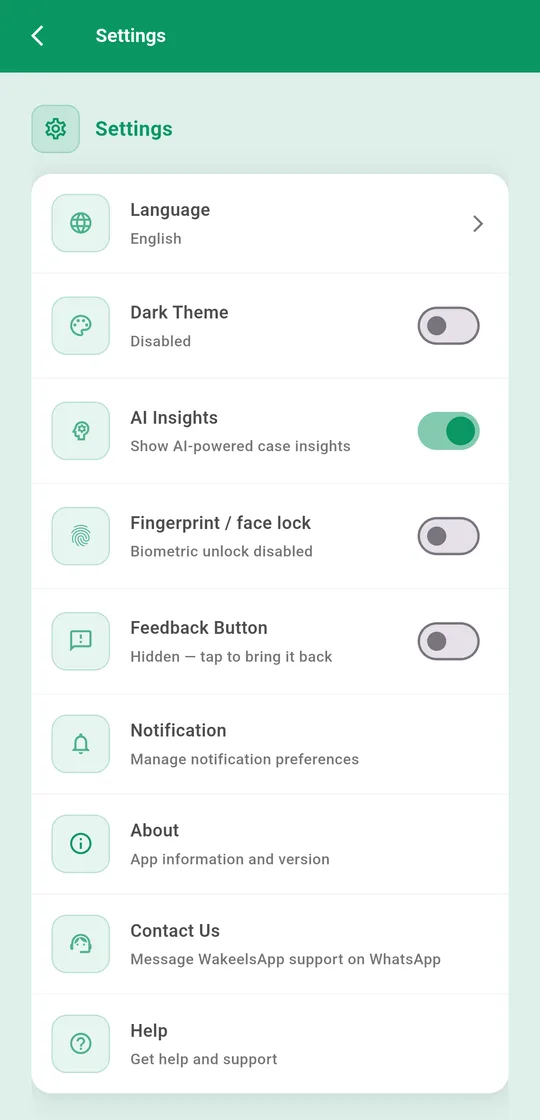
  2. Tap Settings → Language.
  3. Choose اردو or English.
Settings screen with Language at the top
Language is the first item in Settings

You can also switch with the اردو | English button at the top of the welcome screen, before you log in.

You can ask WakeelAI questions in Urdu whichever language the app is in.

Stuck? Message us on WhatsApp and we'll walk you through it.

More guides

Don't have WakeelsApp yet?

Free for lawyers and munshis. Cases, hearings, reminders, fees and WakeelAI in one app, in Urdu or English.

Get it onGoogle Play
Download on theApp Store