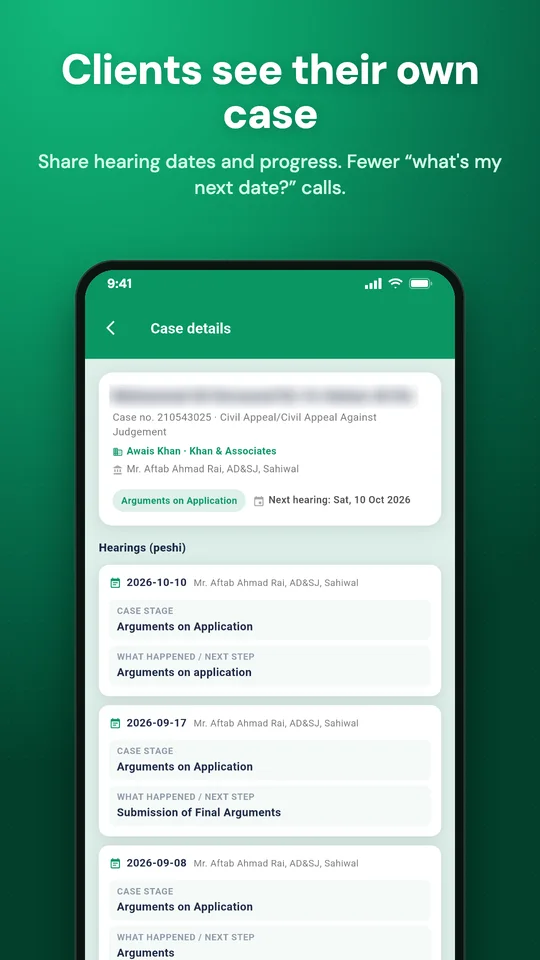
Once a case is shared, your client sees its stage, every hearing, the next date and, if you want, their bills and receipts in their own WakeelsApp. They can also message you on WhatsApp from the case.
1. Make sure the client has a phone number
Your client signs in with their phone number, so it has to be on file. Edit it under Manage → Manage Clients.
2. Turn on sharing
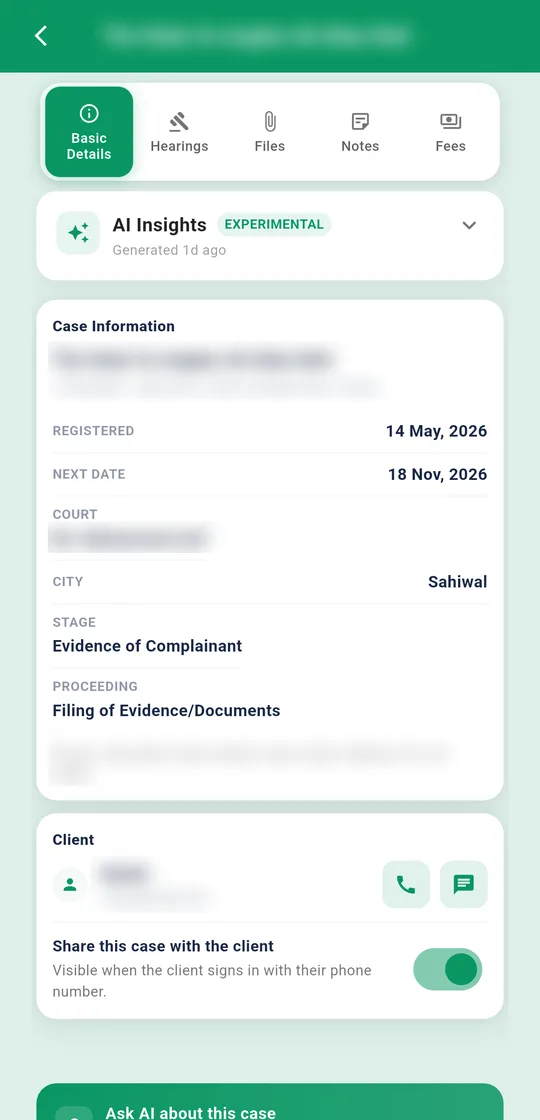
Open the case. On the client card, turn on Share this case with the client. It then says "Visible when the client signs in with their phone number."
Turn it off at any time. The client stops seeing the case right away.
3. Tell your client how to open it
Send them this:
- Download WakeelsApp.
- On the welcome screen, tap My lawyer shared a case with me → See my case.
- Enter the phone number you gave your lawyer, then type the SMS code.
Their shared cases show under My cases. The app notifies them when you share a case or there's news on one.
The client only sees the cases you share with them.