Your home screen
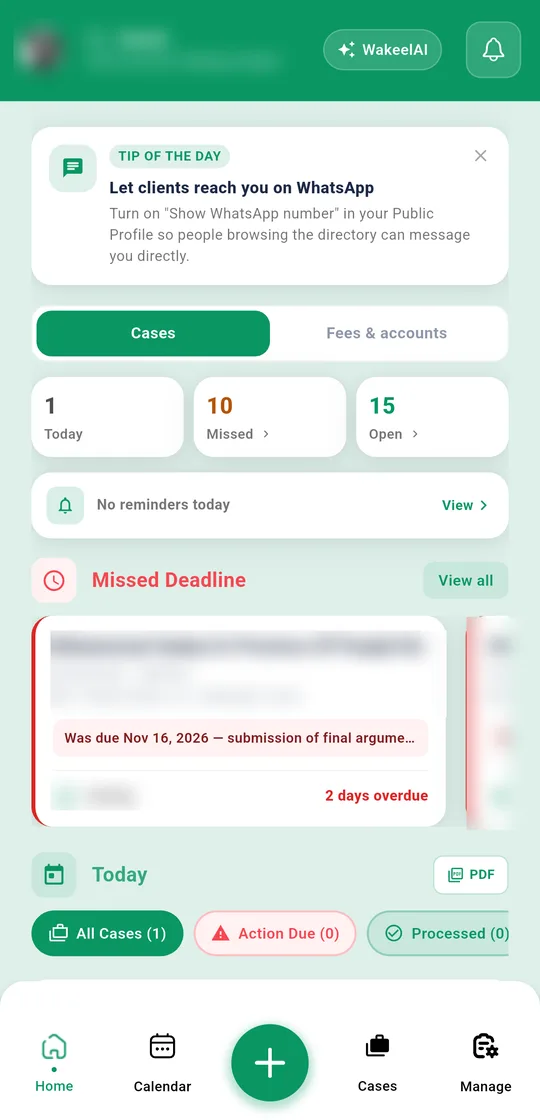
When you open the app, the top row shows the hearings you have today, missed hearings, and how many cases are open. Below that, Missed Deadline lists cases whose date passed without a hearing being recorded. Tap any count to see those cases.
The calendar
Tap Calendar in the bottom bar to see your hearings by date.
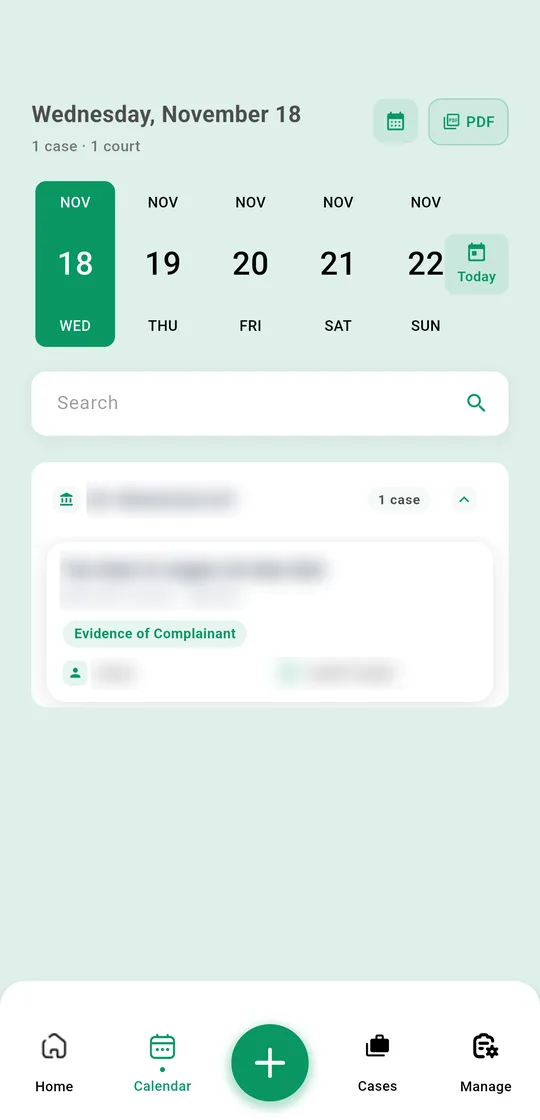
- Tap a date to see its cases, grouped by court. Tap a court to expand it, or tap a case to open it.
- Use the calendar button to jump to another month, and Today to come back.
- Search by case title, case number, court, client contact or city.
The cause list
Tap PDF at the top of the calendar to get the cause list for the chosen date, ready to print or share. The PDF button next to Today on the home screen does the same for today.
Reminders
To get an alert for a hearing, open the case → Hearings and tap Add Reminder on that hearing. Pick the date and time and save. Your phone alerts you then.
See all your reminders under Manage → Reminders, with tabs for Upcoming, Completed and History.
Not getting alerts? Check that notifications are allowed for WakeelsApp in your phone's settings, and that battery saver isn't blocking the app.